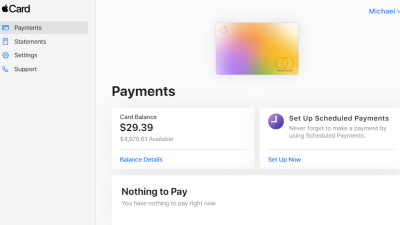
Venmo vs Apple Pay sets the stage for an exciting exploration of two titans in the digital payment arena. These platforms have revolutionized how we manage money, each bringing unique features and user experiences to the forefront.
With their distinct histories, target audiences, and functionalities, Venmo and Apple Pay cater to modern consumers seeking convenience and innovation in their transactions. Let’s dive into the details and discover which platform reigns supreme in the world of digital payments.
Overview of Venmo and Apple Pay
Venmo and Apple Pay have revolutionized the way we handle transactions in today’s digital age. Both platforms offer unique features that cater to various payment needs, making them popular choices among users. Understanding their history and functionality provides valuable insights into how they have shaped the landscape of mobile payment solutions.Venmo was launched in 2009 as a social payment platform, allowing users to send money to one another with ease.
Initially starting as a text-message-based service, Venmo has evolved into a widely-used app among millennials and Gen Z for splitting bills, paying rent, and more. Apple Pay, on the other hand, was introduced by Apple in 2014 as a mobile payment and digital wallet service. It enables users to make payments using their Apple devices securely in stores, online, and within apps.
Both services emphasize convenience, but they cater to slightly different audiences and use cases.
Primary Functions and Features
Both Venmo and Apple Pay have distinct functionalities that make them appealing to users. Understanding these features helps in grasping their respective strengths and weaknesses.Venmo’s primary functions include:
- Peer-to-Peer Transactions: Venmo allows users to send and receive money instantly with friends and family, often accompanied by social feeds that display transaction history.
- Splitting Payments: Users can easily split bills for dining or group expenses, making it ideal for social interactions.
- Venmo Cards: The Venmo debit card can be used for purchases, linking directly to the user’s Venmo balance.
Apple Pay features include:
- Contactless Payments: Apple Pay offers a seamless way to pay in stores with just a tap of the device, utilizing NFC technology.
- In-App Purchases: Users can pay for products and services directly from apps without entering credit card details.
- Secure Transactions: Apple Pay provides enhanced security through tokenization and biometric authentication, making transactions safe and secure.
Target Audience for Each Platform
Identifying the target audience for both Venmo and Apple Pay reveals key differences in their user bases and how they approach mobile payments.Venmo primarily targets:
- Young Adults and Students: Its social features and ease of use resonate with millennials and Gen Z, who frequently share expenses.
- Social Users: People who value social interaction in financial transactions are drawn to Venmo’s social feed, which allows them to see friends’ transactions.
Apple Pay appeals to:
- Apple Device Users: Users within the Apple ecosystem, such as iPhone and Apple Watch owners, prefer Apple Pay for its integrated convenience.
- Security-Conscious Consumers: Individuals who prioritize secure transactions appreciate Apple Pay’s robust security measures and privacy features.
User Experience and Interface
The user experience and interface of a payment platform play a crucial role in how users interact with the service. Venmo and Apple Pay each offer distinct designs and functionalities that cater to their user bases. Venmo is known for its social payment experience, while Apple Pay integrates seamlessly with Apple devices, creating a cohesive ecosystem that enhances usability.
Venmo User Interface Design
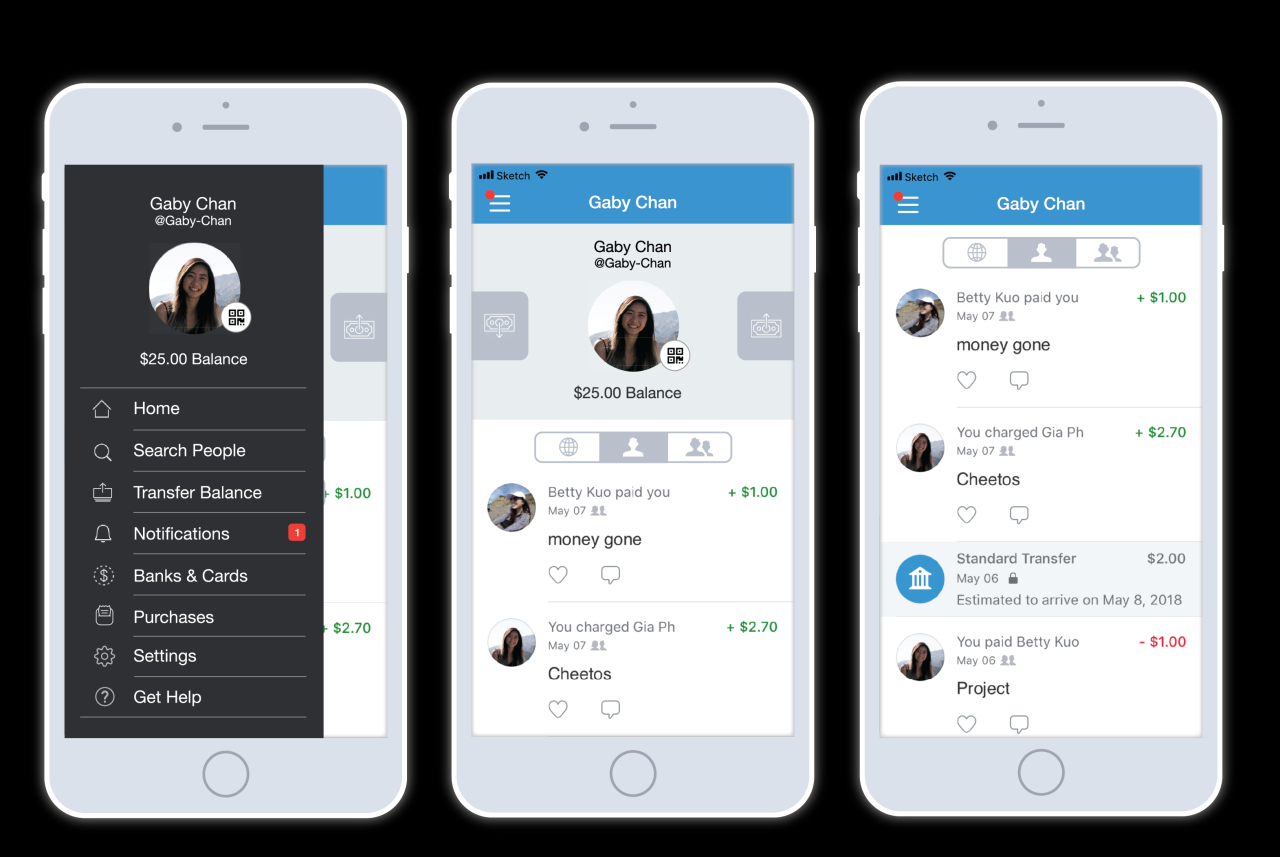
Venmo’s user interface boasts a vibrant and engaging design that emphasizes social interaction in monetary transactions. Upon opening the app, users are greeted with a feed displaying recent transactions among friends, which fosters a sense of community. The interface is intuitive, featuring a simple navigation bar at the bottom with clear icons for home, search, notifications, and profile. Key aspects of Venmo’s UI include:
- Social Feed: Users can see transactions made by friends, complete with emojis and comments, which adds a fun, social element.
- Simple Navigation: The app’s layout allows for effortless navigation to send, request, or view payments.
- Customization Options: Users can personalize their profiles and transaction messages, enriching the experience further.
This design caters particularly well to younger demographics who value social connectivity in their financial activities.
Apple Pay Integration with Apple Devices
Apple Pay provides a streamlined payment solution that is tightly integrated into the Apple ecosystem. Users can transact using iPhones, iPads, Apple Watches, and Macs, allowing for a versatile payment experience. The interface is consistent across devices, ensuring users feel comfortable regardless of the device they are using.The integration features include:
- Tap and Go Payments: Users can pay quickly at point-of-sale terminals using their iPhone or Apple Watch with a simple tap.
- In-App Payments: Apple Pay is supported in many apps, allowing users to make purchases without leaving their favorite applications.
- Security Features: With Face ID or Touch ID, transactions are not only fast but also secure, enhancing user trust.
This seamless experience significantly simplifies payment processes for users entrenched in the Apple ecosystem.
Ease of Use for Sending and Receiving Money
Both Venmo and Apple Pay offer user-friendly interfaces, but their approaches to sending and receiving money differ. Venmo emphasizes social payments, making it easy for users to send money while adding commentary, while Apple Pay focuses on speed and security.The ease of use can be compared as follows:
- Venmo: Sending money involves simply selecting a friend, entering the amount, and optionally adding a note or emoji. Receiving money is equally straightforward, with notifications alerting users of incoming funds.
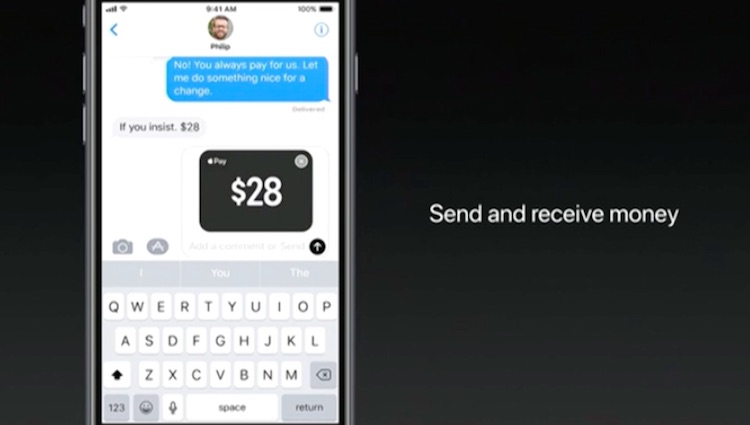
- Apple Pay: In contrast, sending money requires just a few taps, either through Messages or by using the Wallet app. Users can receive payments directly into their linked bank accounts, ensuring a swift transaction process.
Overall, while both platforms provide ease of use, Venmo leans towards a social experience, whereas Apple Pay prioritizes efficiency and security.
Security Features
In an increasingly digital world, ensuring the security of your financial transactions is paramount. Both Venmo and Apple Pay have implemented robust security measures to protect users from fraud and unauthorized access. Understanding these features helps users make informed decisions about their payment methods.
Security Measures Implemented by Venmo
Venmo employs a variety of security measures to safeguard user information and transactions. These features include:
- Encryption: Venmo uses bank-level encryption to protect sensitive data during transmission, ensuring that personal and financial information remains confidential.
- Two-Factor Authentication: Users can enable two-factor authentication, adding an extra layer of security by requiring a verification code in addition to the password.
- Transaction Limits: Venmo has set daily, weekly, and monthly transaction limits, which help mitigate potential losses from unauthorized transactions.
- Monitoring and Alerts: Venmo actively monitors transactions for suspicious activities and sends alerts for any unusual transactions or access attempts.
Security Protocols Used by Apple Pay
Apple Pay stands out for its advanced security protocols, which are designed to ensure a secure and seamless payment experience. Key protocols include:
- Tokenization: Apple Pay replaces your card information with a unique token during transactions, ensuring that your actual card details are never shared with merchants.
- Biometric Authentication: Users can authenticate transactions using Face ID or Touch ID, providing a secure yet convenient way to approve payments.
- Device Security: Apple Pay relies on hardware security features within Apple devices, such as a Secure Enclave, which protects sensitive information even if the device is compromised.
- End-to-End Encryption: All communications between your device and Apple’s servers are encrypted, adding a layer of security against potential interception.
Comparison of Overall Security Effectiveness
When comparing the security effectiveness of Venmo and Apple Pay, several factors come into play. While both platforms offer strong security features, the nature of their respective functionalities influences their overall effectiveness.
“Both Venmo and Apple Pay prioritize user security, but their methods and technologies differ significantly.”
Apple Pay’s use of tokenization and biometric authentication provides a highly secure environment for transactions, particularly in physical retail settings. In contrast, Venmo’s robust monitoring and alert systems emphasize user awareness and control, but may not offer the same level of security for in-person transactions.In summary, while both services strive to protect their users, Apple Pay’s advanced security protocols, such as tokenization and biometric authentication, render it more effective for preventing unauthorized access and fraud compared to Venmo, which primarily focuses on secure online transactions and user controls.
Transaction Fees and Limits
Understanding transaction fees and limits is crucial when choosing between Venmo and Apple Pay for your digital payment needs. Both services offer unique structures that cater to different user preferences and transaction types, making it essential to evaluate the costs involved and the limits imposed on transactions.
Venmo Transaction Fees
Venmo operates with a straightforward fee structure, primarily charging for specific types of transactions. It is essential for users to note the following:
- Standard Transactions: Sending money from a linked bank account or Venmo balance is free. However, sending money using a credit card incurs a fee of 3% on the transaction amount.
- Instant Transfers: If you opt for an instant transfer to your bank account, there is a fee of 1.75% (minimum $0.25) applied.
- Merchant Transactions: When using Venmo for purchases at authorized merchants, a fee of 1.9% + $0.10 per transaction is applicable.
The clarity of Venmo’s fee structure allows users to make informed decisions about their payment methods, especially regarding the costs associated with credit card transactions and instant transfers.
Apple Pay Costs
Apple Pay, on the other hand, presents a different fee structure that is generally more favorable for users. Here are the main cost components associated with this service:
- No Fees for Users: Apple Pay does not charge users for sending or receiving money through the service, making it a cost-effective option for peer-to-peer transactions.
- Merchant Fees: Merchants may incur transaction fees, typically around 0.15% per transaction for credit card payments made through Apple Pay, depending on their agreement with payment processors.
This absence of fees for users using Apple Pay for peer-to-peer transfers makes it an appealing choice for frequent transactions among friends and family.
Transaction Limits for Venmo and Apple Pay
Both Venmo and Apple Pay impose certain limits on transactions which can affect user experience. It’s vital to be aware of these limitations to avoid potential issues during transactions.
- Venmo Limits: New Venmo users can send up to $299.99 within a week. Once identity verification is completed, this limit increases to $4,999.99 per week for personal transactions.
- Apple Pay Limits: For Apple Cash transactions, the limit is $10,000 per transaction, with a maximum of $20,000 within a 7-day period. Users can also send payments up to $10,000 per transaction through Apple Pay via iMessage.
Understanding these limits is crucial, especially for users intending to make larger transactions or for those who frequently send money to friends.
“Choosing the right payment platform depends on understanding the fees and limits that accompany each service. Knowing these can save you money and streamline your transactions.”
Supported Platforms and Integration

Venmo and Apple Pay are two of the most popular digital payment platforms today, each offering unique functionalities across various devices and environments. Understanding how these platforms integrate with supported devices can enhance your payment experience and streamline transactions, whether you’re shopping online or in-store.
Devices Supporting Venmo
Venmo is primarily designed for mobile use and is accessible on a variety of devices that support its application. The following devices allow users to utilize Venmo:
- Smartphones: Venmo is available as a mobile application on both iOS and Android devices, providing users with convenience and ease of use for peer-to-peer transactions.
- Tablets: Users can also access Venmo through tablets that support its app, ensuring a larger screen experience for managing payments.
- Web Browsers: Venmo can be accessed through any web browser on a computer, allowing users to send and receive money without needing a mobile device.
Venmo’s functionality extends to social media integration, enabling users to share payment activities with friends while maintaining privacy settings.
Usage of Apple Pay in Stores and Online
Apple Pay offers a versatile payment solution that can be used both in physical stores and online. This functionality greatly enhances the shopping experience for users who prefer seamless payment options.In stores, Apple Pay can be easily used on supported devices such as:
- iPhone: Users can make contactless payments by simply holding their iPhone near compatible payment terminals.
- Apple Watch: A convenient option for those on-the-go, allowing payments with a simple wrist gesture.
Online, Apple Pay integrates smoothly with participating merchants, making transactions quick and secure. Users can complete purchases with just a touch or glance, thanks to Face ID or Touch ID functionality.
Integration with Other Financial Services
Both Venmo and Apple Pay offer seamless integration with various financial services, enhancing user experience and accessibility.Venmo integrates with:
- Bank Accounts: Users can link their bank accounts for easy transfers and withdrawals.
- Credit and Debit Cards: Venmo allows linkage to multiple cards, giving users flexibility in payment methods.
- Third-Party Apps: Venmo can be used within other apps, allowing for payments within platforms like Uber or Grubhub.
Apple Pay’s integration includes:
- Credit and Debit Cards: Users can add cards from various banks to Apple Wallet for easy access.
- Apps: Apple Pay is widely supported by numerous apps, allowing transactions from services such as Lyft and Starbucks.
- Websites: Many online retailers support Apple Pay, enabling secure and quick checkouts.
By comparing the integrations of both platforms, it is evident that while Venmo is centered around social payments and peer-to-peer transactions, Apple Pay extends its capabilities to retail and online shopping environments, creating a broad spectrum of usage opportunities for consumers.
“The integration of payment platforms with financial services is redefining convenience in today’s digital economy.”
Social Features and Community Engagement
In today’s digital landscape, social interaction plays a pivotal role in enhancing user experience and fostering community connections. Venmo and Apple Pay both recognize the importance of social features but approach them in distinctly different ways, catering to varying user preferences and needs.Venmo stands out with its robust social networking aspect, enabling users to share transaction details with friends and family.
This unique feature transforms mundane money transfers into a social experience where users can add notes, emojis, and tags, creating a playful interaction around financial exchanges.
Venmo’s Social Networking
Venmo’s platform fosters community engagement through its vibrant social feed, displaying recent transactions among users (excluding transaction amounts for privacy). This feed provides a window into social interactions, allowing users to comment and like posts, akin to social media platforms. The social aspect encourages user engagement in several ways:
- Community Connection: Users can connect with friends, enhancing the sense of community through shared experiences.
- Fun and Engagement: The ability to add creative notes and emojis to payments makes the process enjoyable and light-hearted.
- Social Encouragement: Users often feel encouraged to use the app more frequently when they see their friends engaging with it.
Apple Pay’s Community Features
While Apple Pay primarily focuses on facilitating smooth and secure transactions, it does incorporate some social aspects through its integration with various apps. Users can send money via Apple Cash, which is built into iMessage. This feature allows for a level of social interaction but lacks the extensive social networking capabilities that Venmo boasts. Key aspects of Apple Pay’s social engagement include:
- Integration with iMessage: Users can send and request money directly within chats, making it convenient to pay friends for shared expenses.
- Limited Social Features: While Apple Pay doesn’t have a public feed, it enables private transactions that can lead to social engagement in a more discreet manner.
- Focus on Security: The emphasis remains on secure and quick transactions, with social features being secondary.
In summary, Venmo’s approach to social features promotes a vibrant community atmosphere, while Apple Pay prioritizes security and convenience, offering limited social engagement. Users looking for an interactive payment experience may lean towards Venmo, while those valuing seamless and secure transactions might opt for Apple Pay.
International Use and Availability
Venmo and Apple Pay are two of the most popular digital payment platforms, yet their international usability differs significantly. While Venmo primarily serves a domestic audience, Apple Pay offers broader international capabilities, making it essential to understand how these services function beyond borders.
Venmo’s Availability and Limitations
Venmo is currently available exclusively in the United States, which restricts its use for users looking to send or receive money internationally. This limitation means that while users can easily transact with other Venmo users within the US, they cannot make payments to users in other countries. Venmo does not support international payments or transactions, thus making it challenging for those who frequently engage in cross-border payments or travel abroad.
Apple Pay’s International Usability
In contrast, Apple Pay offers a more global reach. It is available in numerous countries, including the United States, Canada, the United Kingdom, Australia, France, Germany, and Japan, among others. This wide availability allows users to make in-store purchases, online transactions, and in-app payments across various international retailers. The use of Apple Pay is expanding, and users find it increasingly accepted in many regions, enhancing their shopping experience while traveling or living abroad.
Comparison of Acceptance Rates
The acceptance rates of Venmo and Apple Pay in different regions highlight their varying capabilities and user engagement. Venmo, with its focus on the US market, is widely accepted by local merchants, but falls short internationally. Conversely, Apple Pay is designed to integrate seamlessly with global payment systems.Understanding the acceptance landscape helps users make informed decisions based on their geographic location and payment needs.
Below is an overview of both services’ acceptance in key regions:
| Region | Venmo Acceptance | Apple Pay Acceptance |
|---|---|---|
| United States | Widely accepted among merchants and consumers | Widely accepted among merchants and consumers |
| Canada | Not accepted | Increasingly accepted at major retailers |
| Europe | Not accepted | Accepted in many countries, including the UK and France |
| Australia | Not accepted | Accepted at numerous retail locations |
| Asia | Not accepted | Accepted in select markets, including Japan |
Apple Pay’s extensive international reach enables hassle-free payments across borders, making it an ideal choice for travelers and global consumers.
Customer Support and Resources
In the world of digital payments, having reliable customer support is essential for resolving issues quickly and efficiently. Both Venmo and Apple Pay offer various support options to assist users with their transactions and account management, ensuring that help is just a click away. Understanding the differences in their customer support can enhance your overall experience with each platform.
Customer Support Options for Venmo
Venmo provides multiple avenues for customer support, catering to a range of user needs. The resources available include:
- Help Center: Venmo has a comprehensive online Help Center filled with articles and FAQs that cover common issues, from account setup to troubleshooting payment problems.
- In-App Support: Users can access support directly through the app, offering a seamless way to report problems or seek assistance without leaving the platform.
- Email Support: For more complex inquiries, users can reach out via email, where dedicated support staff address questions and concerns.
- Social Media: Venmo actively engages with users through social media channels, providing updates and insights into service issues or enhancements.
Support Resources for Apple Pay
Apple Pay also prioritizes customer support through various channels. The available resources include:
- Apple Support App: Users can download the Apple Support app, which offers personalized assistance and troubleshooting for Apple Pay and other Apple services.
- Online Support Page: Apple’s dedicated support page for Apple Pay features an extensive library of articles and guides that address common questions and technical issues.
- Phone Support: Customers can contact Apple Support via phone, where trained representatives assist users with issues, ensuring prompt and effective resolutions.
- Community Forums: Apple hosts community forums where users can ask questions and share experiences, creating a collaborative support environment.
Effectiveness and Responsiveness of Customer Service
Customer service effectiveness can significantly impact user satisfaction. Both Venmo and Apple Pay strive to provide responsive support, though their approaches differ:
- Venmo: Users often report quick resolutions via the app’s in-built support system, making it easy to get help without extensive navigation. However, response times can vary depending on the volume of inquiries.
- Apple Pay: Apple’s reputation for customer service is generally strong, with many users praising the thoroughness and professionalism of support staff on the phone. The Apple Support app also enhances the responsiveness of service, providing timely updates and solutions.
In the competitive landscape of digital payment platforms, responsive customer support is key to user loyalty and satisfaction.
Future Developments and Innovations
The landscape of digital payments is continuously evolving, with both Venmo and Apple Pay leading the charge towards innovation. As these platforms strive to enhance user experience, security, and functionality, several promising updates and features are on the horizon. Let’s delve into what the future holds for these two popular payment solutions, examining anticipated changes and potential directions.
Venmo’s Announced Features and Updates
Venmo has consistently improved its platform to cater to the diverse needs of its users. Recent announcements hint at exciting upcoming features, such as:
- Expanded Merchant Partnerships: Venmo aims to increase its acceptance among a broader range of retailers and service providers, making it easier for users to pay using their Venmo balance.
- Enhanced Social Features: Venmo plans to introduce new social interaction capabilities, allowing users to better connect with friends and share payment experiences, thereby reinforcing its community-oriented platform.
- Crypto Integration: Following the trend of cryptocurrency, Venmo is expected to expand its cryptocurrency offerings, potentially allowing users to buy, sell, and trade a wider variety of digital currencies.
Anticipated Changes for Apple Pay
Apple Pay is also set to roll out a series of improvements that will bolster its marketplace and user experience. The anticipated changes include:
- Cross-Platform Compatibility: An increase in compatibility across various devices and platforms, making it easier for users to leverage Apple Pay beyond just Apple devices.
- In-App Purchases Expansion: Apple Pay is likely to enhance its functionality for in-app purchases, allowing users to transact seamlessly within their favorite applications.
- Enhanced Privacy Features: Continued focus on privacy, such as more robust encryption protocols and features that allow users more control over their transaction data.
Comparative Future Directions of Payment Solutions
As both Venmo and Apple Pay innovate, their future directions reflect their unique user demographics and market strategies. Venmo’s emphasis on social connectivity and community engagement positions it well for younger users who value sharing experiences. Conversely, Apple Pay is focused on integrating deeper into the Apple ecosystem, appealing to a broader audience seeking seamless and secure transactions across multiple platforms.
“As digital payment solutions evolve, Venmo and Apple Pay are set to redefine how we transact, socialize, and manage our finances.”
Both platforms are strategically positioning themselves to capture future trends in payments, such as the increasing use of cryptocurrency and the demand for privacy and security in financial transactions. As these innovations unfold, users can expect a more dynamic, interconnected, and user-friendly payment environment.
FAQ Overview
What are the transaction limits for Venmo?
Venmo typically allows transactions up to $299.99 for unverified accounts and up to $4,999.99 for verified accounts per week.
Is Apple Pay accepted internationally?
Yes, Apple Pay is accepted in multiple countries, but availability may vary depending on the bank and the region.
Can Venmo be used for business transactions?
Yes, Venmo offers a business profile option for merchants to accept payments for goods and services.
Are there any hidden fees with Apple Pay?
No, Apple Pay does not charge users for transactions; however, fees may apply depending on the bank or card issuer.
How does Venmo handle payment disputes?
Venmo has a resolution process where users can report issues, but it may not guarantee refunds for unauthorized transactions.